> For the complete documentation index, see [llms.txt](https://docs.awenetwork.ai/llms.txt). Markdown versions of documentation pages are available by appending `.md` to page URLs; this page is available as [Markdown](https://docs.awenetwork.ai/awe-ecosystem/awe-service-via-open-mcp-ecosystem-awesome/agent-marketplace.md).
# Agent Marketplace
We’re excited to announce the launch of one of AWESOME’s most powerful features yet — the **Agent Marketplace**. This upgrade lets you go beyond individual Tasks and start composing, saving, and sharing full **MCP-powered agents**.
Whether you’re building internal tools, community-facing bots, or experimental AI workflows, you can now **package your logic into reusable agents** — and run them with a single click.
## **Save & Publish MCP Workflows as Agents**
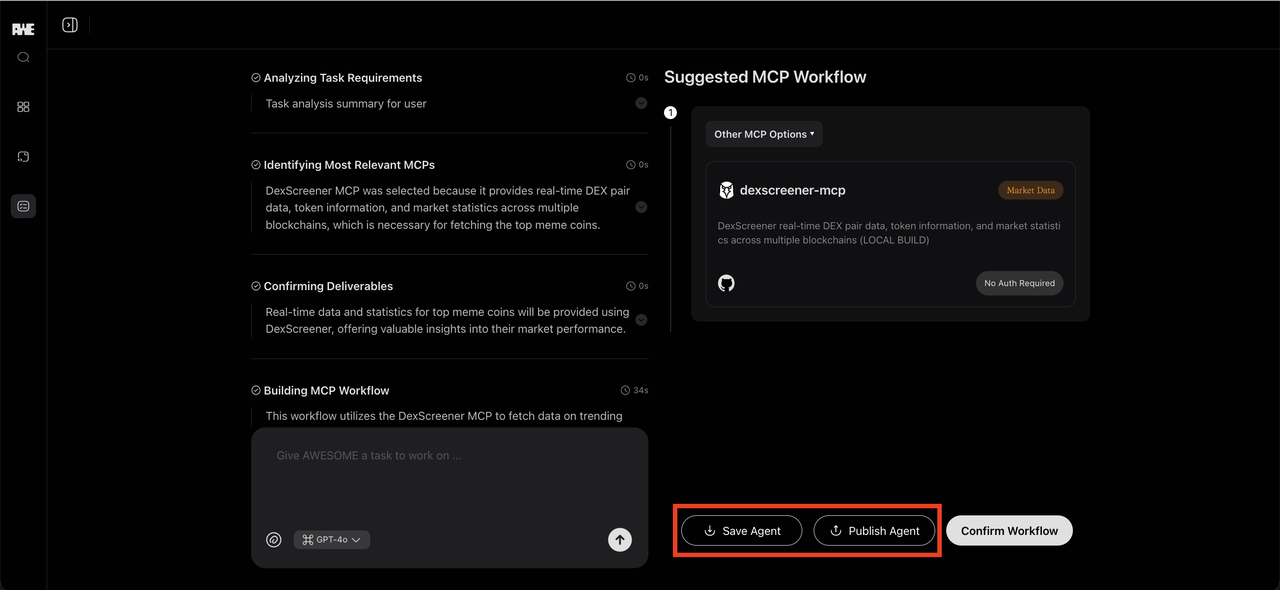
Every workflow you build through **AWE Cloud (Tasks)** can now be saved as an **Agent** — a persistent, customizable unit that remembers its instructions, toolset, and workflow logic.
You can choose to:
* **Save as Private Agent** – for personal or internal use
* **Publish as Public Agent** – so anyone can discover and run it
Each agent retains:
* Natural language task description
* Selected MCPs
* Workflow logic (including sequence and decision structure)
This lets you turn your most powerful Tasks into reusable autonomous units — no code required.
## **Agent Marketplace: Discover and Reuse**
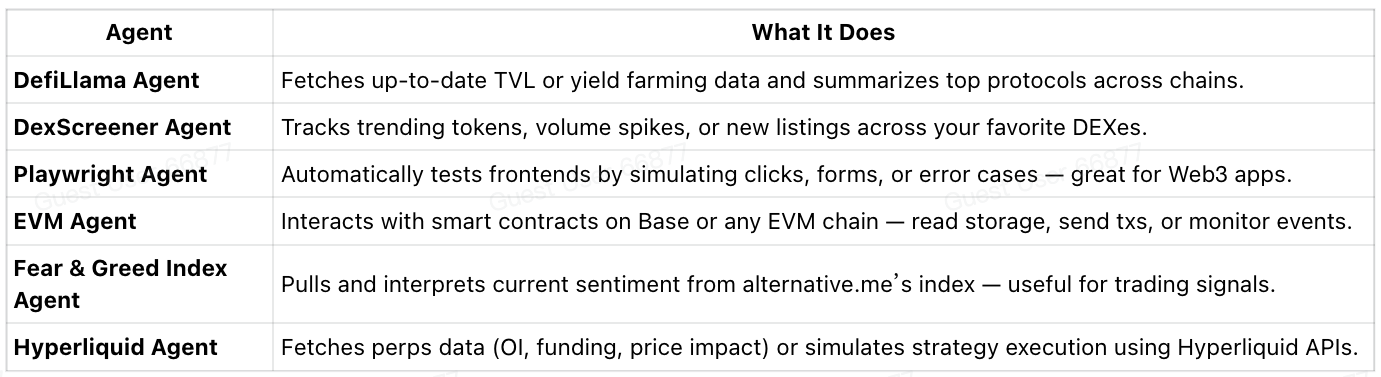
To help kickstart the ecosystem, we’re launching with an initial set of **6 showcase agents**, all designed as **simple, single-MCP agents**. These are meant to demonstrate the core capabilities and serve as templates for your own ideas:
You can run these agents directly, fork and remix them, or use them as blueprints for your multi-MCP builds.
## **Run an Agent with a Single Click**
Running an agent is as simple as clicking a button.
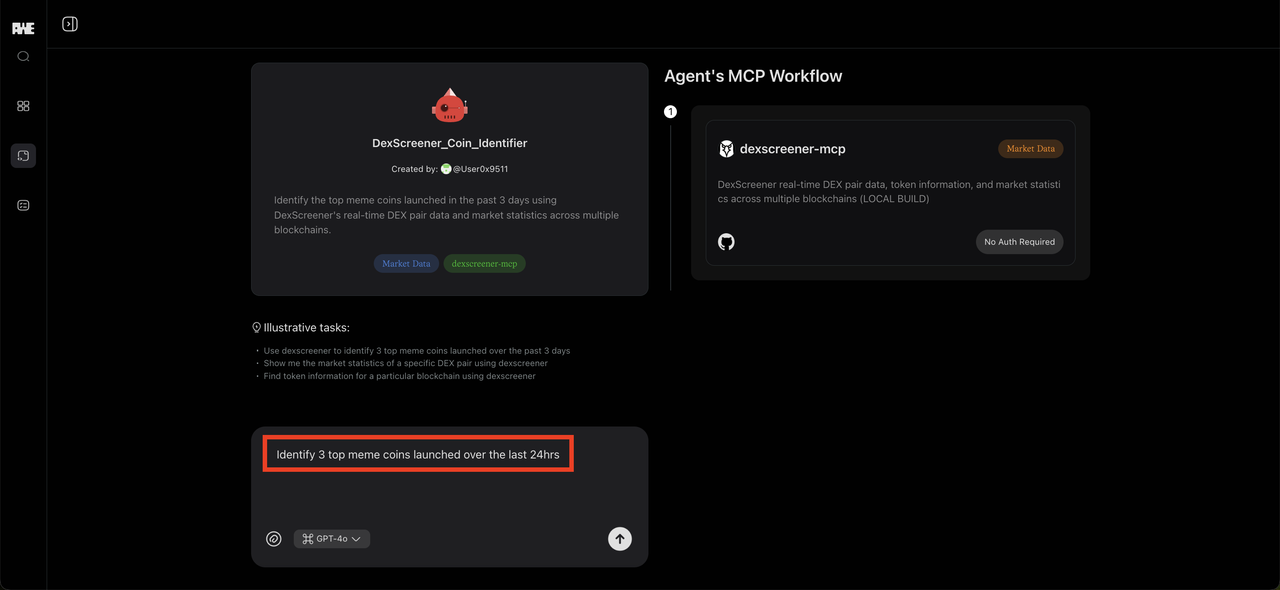
Let’s try it with the **DexScreener Agent**:
**Task:**
“Identify the top 3 meme coins launched over the last 24 hours.”
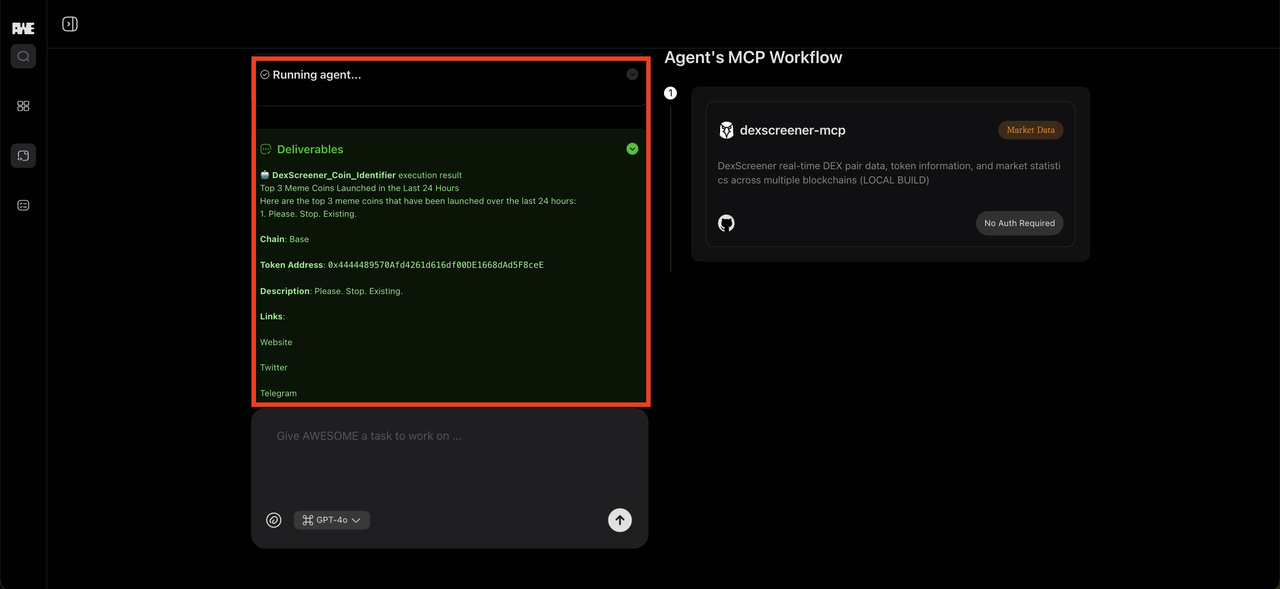
Just open the agent, click **“Run Agent”**, and let AWESOME handle the rest:
1. It uses the DexScreener MCP to fetch token data
2. Filters results based on category and launch time
3. Sorts by volume or price spike
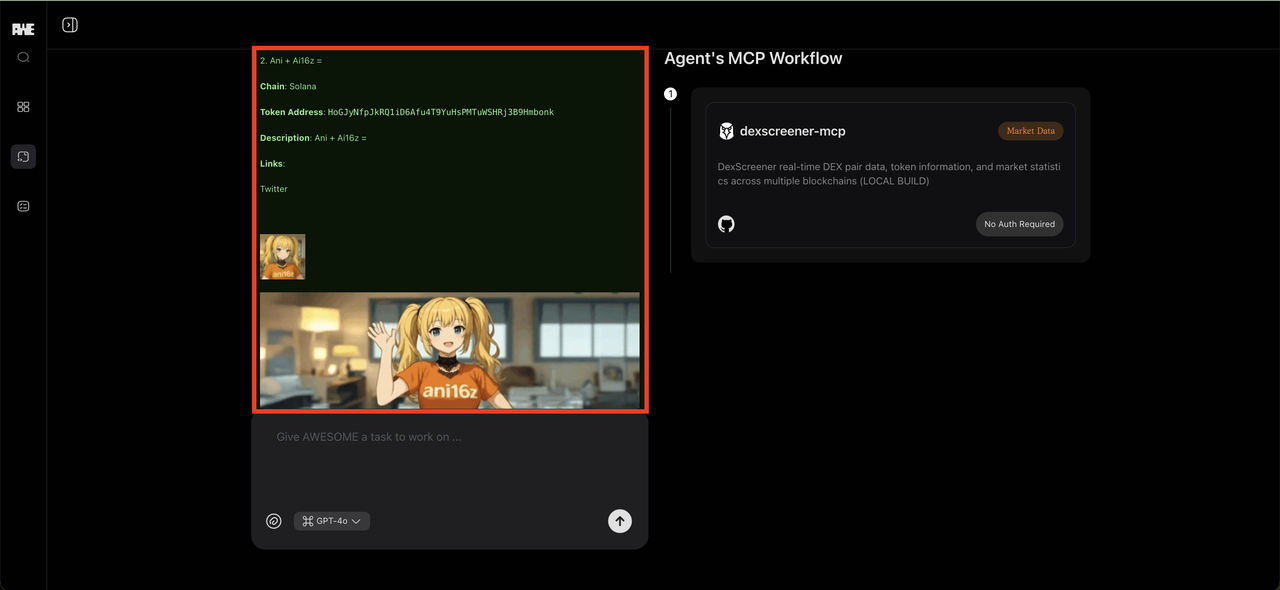
4. Outputs a clean summary — instantly
You can customize the task input, tweak logic, or duplicate
---
# Agent Instructions
This documentation is published with GitBook. GitBook is the documentation platform designed so that both humans and AI agents can read, navigate, and reason over technical content effectively. Learn more at gitbook.com.
## Querying This Documentation
If you need additional information that is not directly available in this page, you can query the documentation dynamically by asking a question.
Perform an HTTP GET request on the current page URL with the `ask` query parameter, and the optional `goal` query parameter:
```
GET https://docs.awenetwork.ai/awe-ecosystem/awe-service-via-open-mcp-ecosystem-awesome/agent-marketplace.md?ask=&goal=
```
`ask` is the immediate question: it should be specific, self-contained, and written in natural language.
`goal` is optional and describes the broader end goal you are ultimately trying to accomplish on behalf of the user. GitBook uses it to tailor the answer towards what is most useful for that goal.
The response will contain a direct answer to the question and relevant excerpts and sources from the documentation.
Use this mechanism when the answer is not explicitly present in the current page, you need clarification or additional context, or you want to retrieve related documentation sections.
.PNG)