> For the complete documentation index, see [llms.txt](https://docs.awenetwork.ai/llms.txt). Markdown versions of documentation pages are available by appending `.md` to page URLs; this page is available as [Markdown](https://docs.awenetwork.ai/awe-ecosystem/awe-service-via-open-mcp-ecosystem-awesome/mcp-workflow-builder.md).
# MCP Workflow Builder
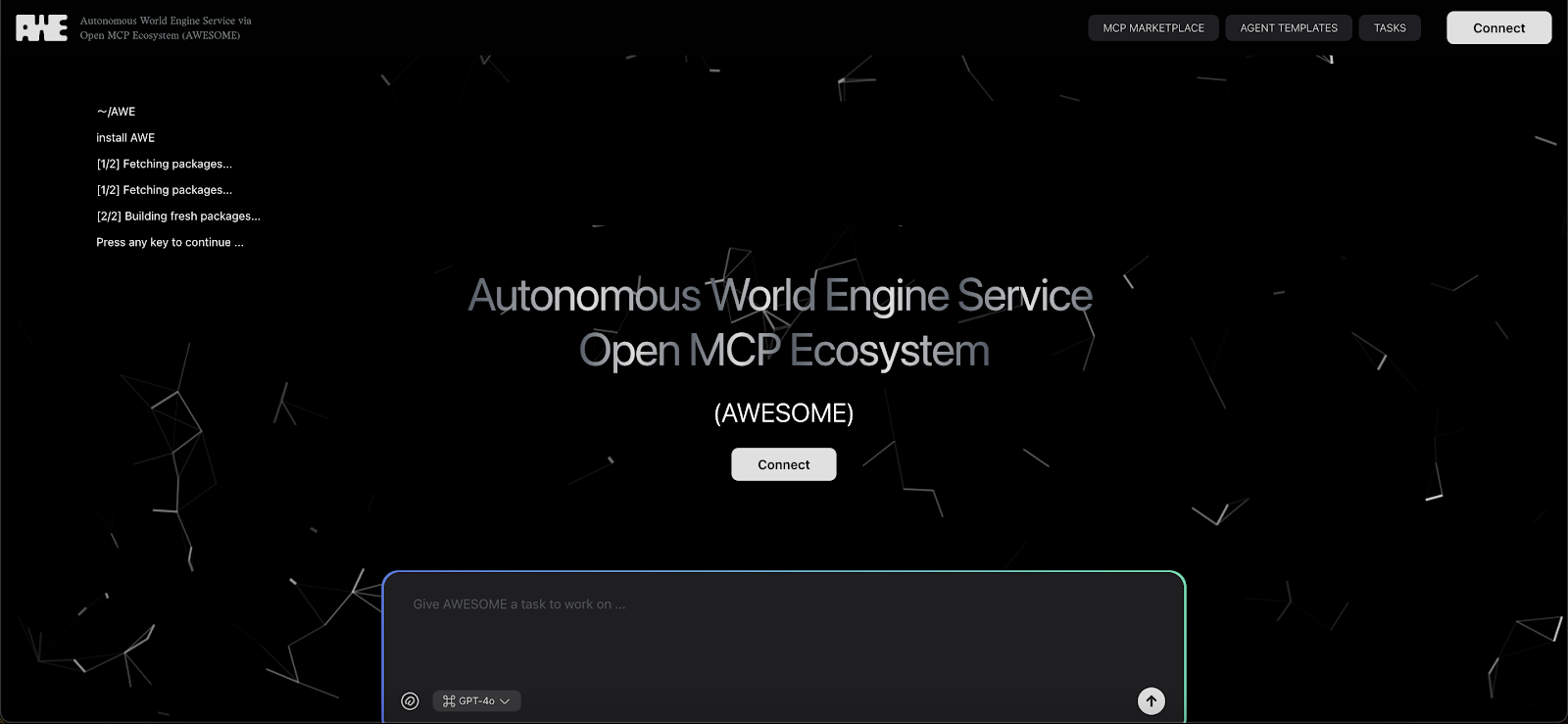
We’re excited to launch the **Beta version of AWESOME** — the Autonomous World Engine Service via Open MCP Ecosystem — designed to help you build powerful AI-driven tasks, automate onchain and offchain actions, and explore what’s possible with multi-agent workflows.
In this Beta, we’re unlocking the first real taste of what AWESOME can do.
#### **What’s Included in the Beta Launch**
1. **MCP Marketplace**
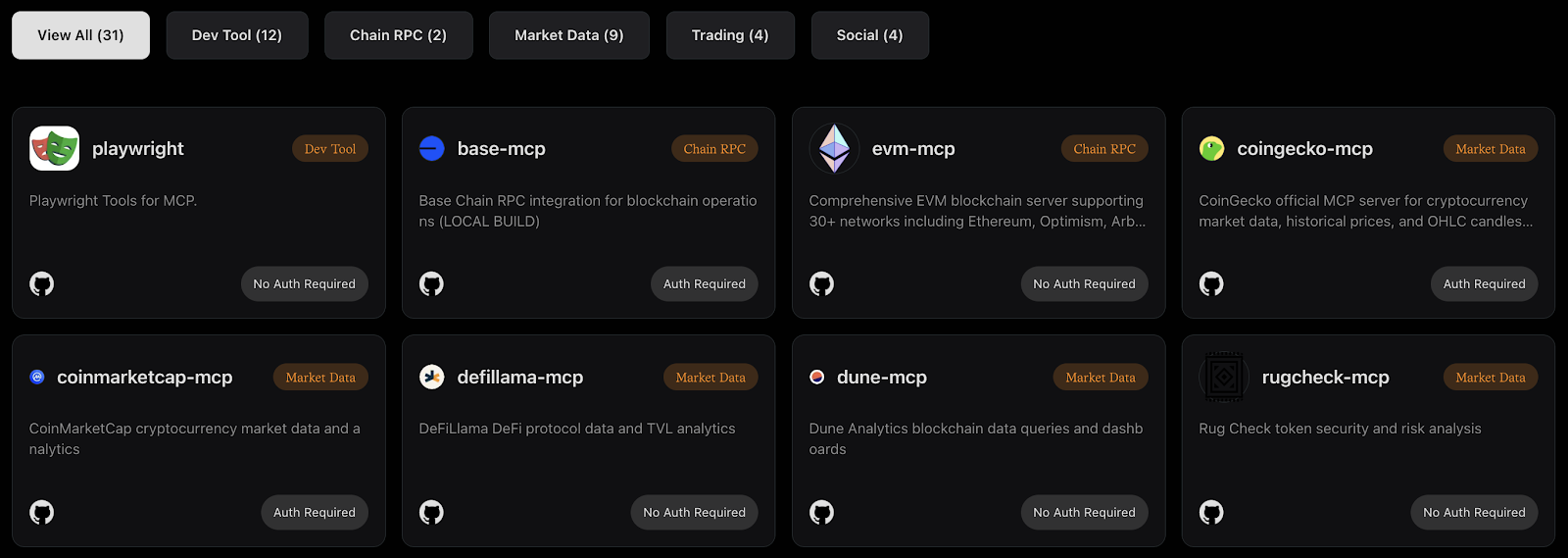
We’ve integrated **31 MCPs across 5 essential categories** to help developers, creators, and agents plug directly into Web2 and Web3 tools:
* **Dev Tools** (e.g. GitHub, LangChain, MindsDB, Playwright, Blender, Unity, Unreal, Figma, AWS, Convex, Cloudflare, Supabase)
* **Chain RPC** (e.g. Base, EVM)
* **Market Data** (e.g. CoinGecko, CoinMarketCap, DefiLlama, Dune, RugCheck, Chainlink, Fear\&Greed, Whale Tracker, DexScreener)
* **Trading** (e.g. Binance, Uniswap, Hyperliquid, Pump.fun)
* **Social & Content** (e.g. Discord, Telegram, X, Notion)
These are accessible out-of-the-box via our unified interface.
2. **AWE Cloud – Natural Language Task Engine**
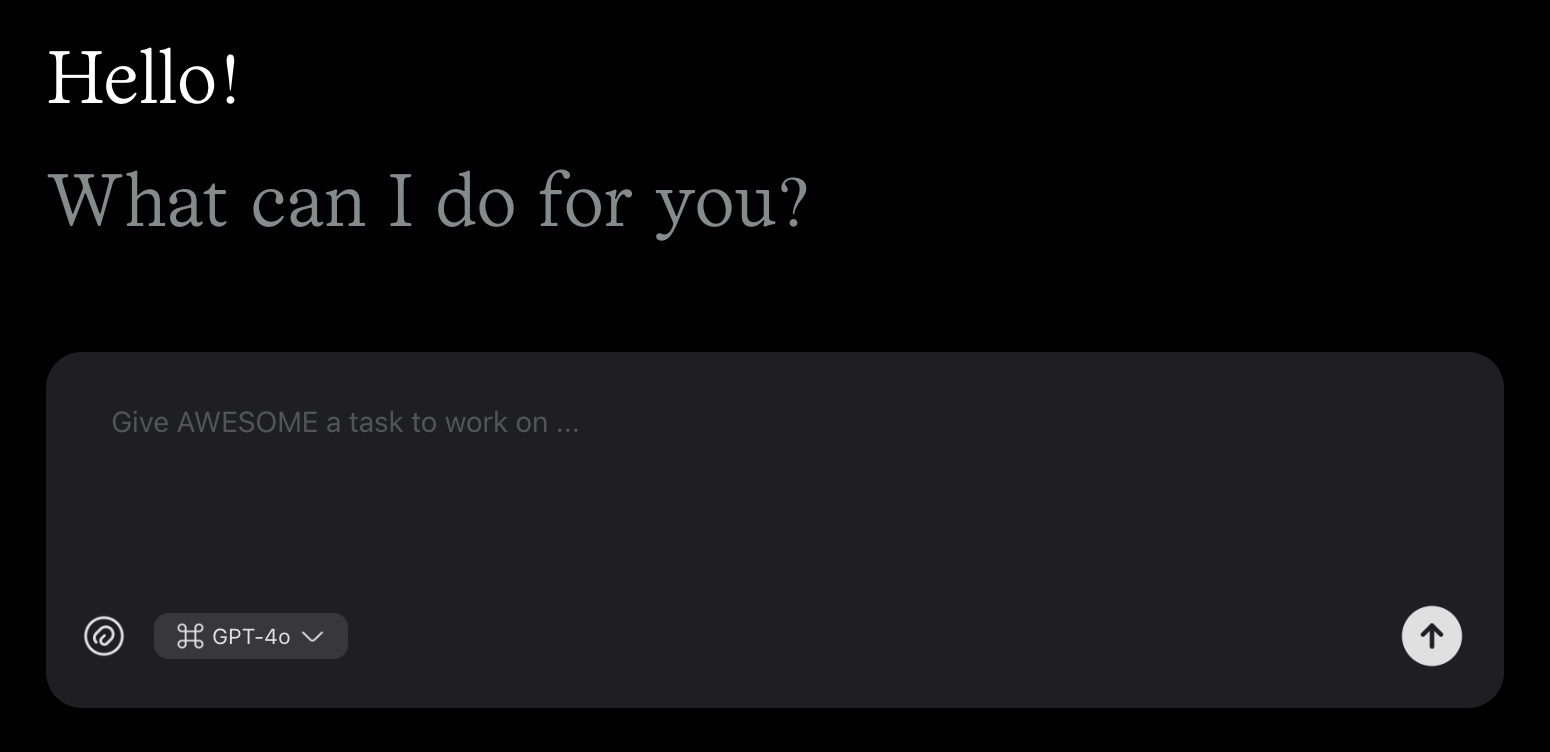
AWE Cloud (a.k.a. “**Tasks**”) is our LLM-based interface that lets you describe what you want in natural language — and have AWESOME figure out **how** to get it done.
Whether it’s a market scan, a research task, a trading action, or a post to social media — you don’t need to write code. You just tell AWESOME what you need.
3. **Subscription Tiers**
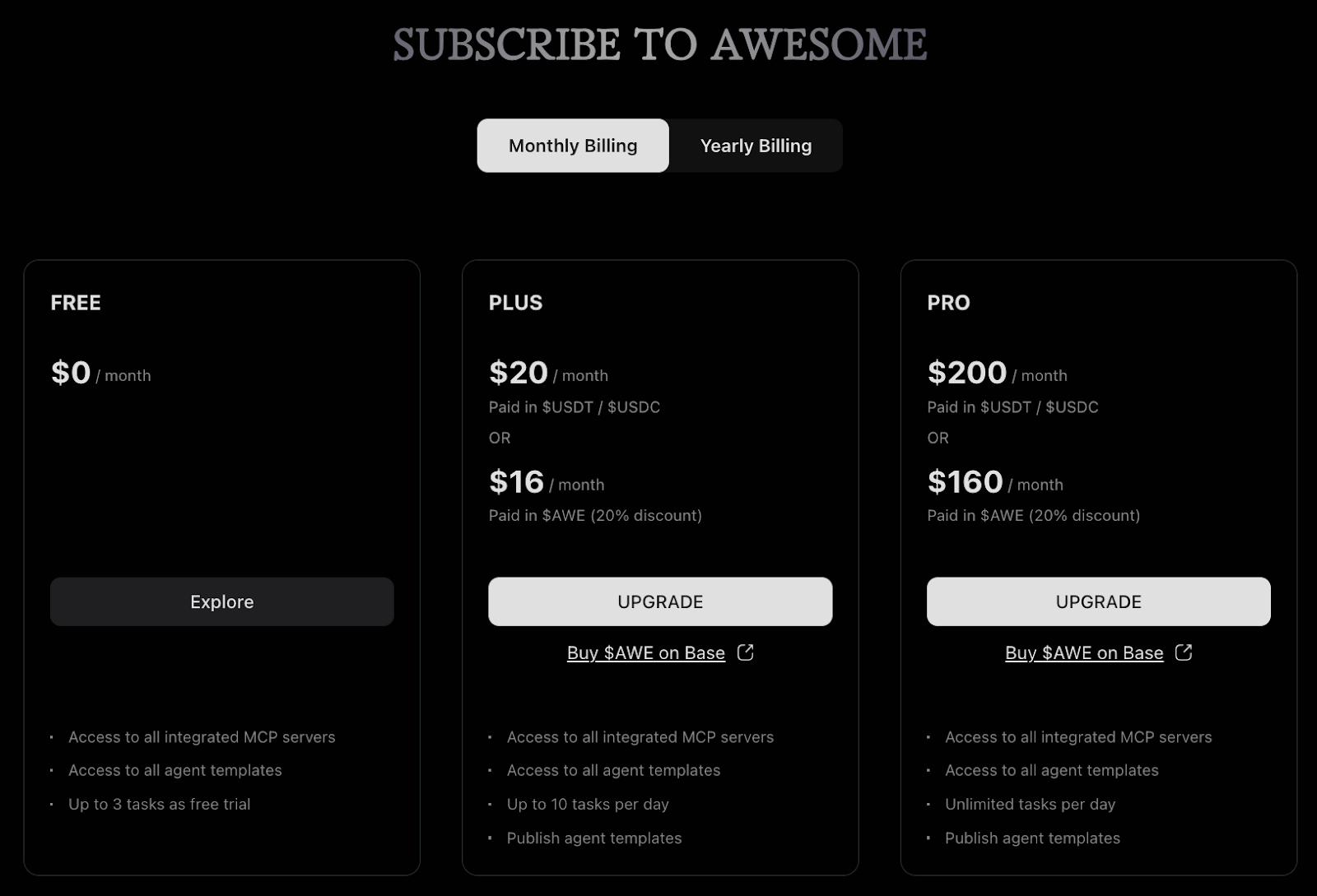
You can now access AWESOME through three tiers:
* **Free:** Up to 3 Tasks – best for new users
* **Plus:** Up to 10 Tasks per day – best for devs with regular agent workflow needs
* **Pro:** Unlimited Tasks per day – best for power users and autonomous agents with high-volume needs
#### **How “Tasks” Work**
Here’s how AWESOME turns your natural language into intelligent multi-MCP execution:
1. **Describe Your Task**
Tell AWESOME what you want to achieve — just like prompting ChatGPT.
2. **Task Analysis**
AWESOME parses your input and identifies key components, goals, and required actions.
3. **MCP Selection**
Behind the scenes, AWESOME selects the right Model Context Protocols (MCPs) — like price feeds, trading APIs, or social posting tools — to fulfill your task.
4. **Workflow Suggestion**
You’ll get a proposed step-by-step workflow for confirmation or tweaking.
For MCPs that require authentication, you would have to enter API keys or credentials.
5. **Execution & Output**
Once confirmed, AWESOME runs the full pipeline and returns the result — whether it’s a dataset, a post, or an onchain transaction.
{% embed url="" %}
### **Case Studies**
**Case 1: Memecoin Monitor + Auto-Post**
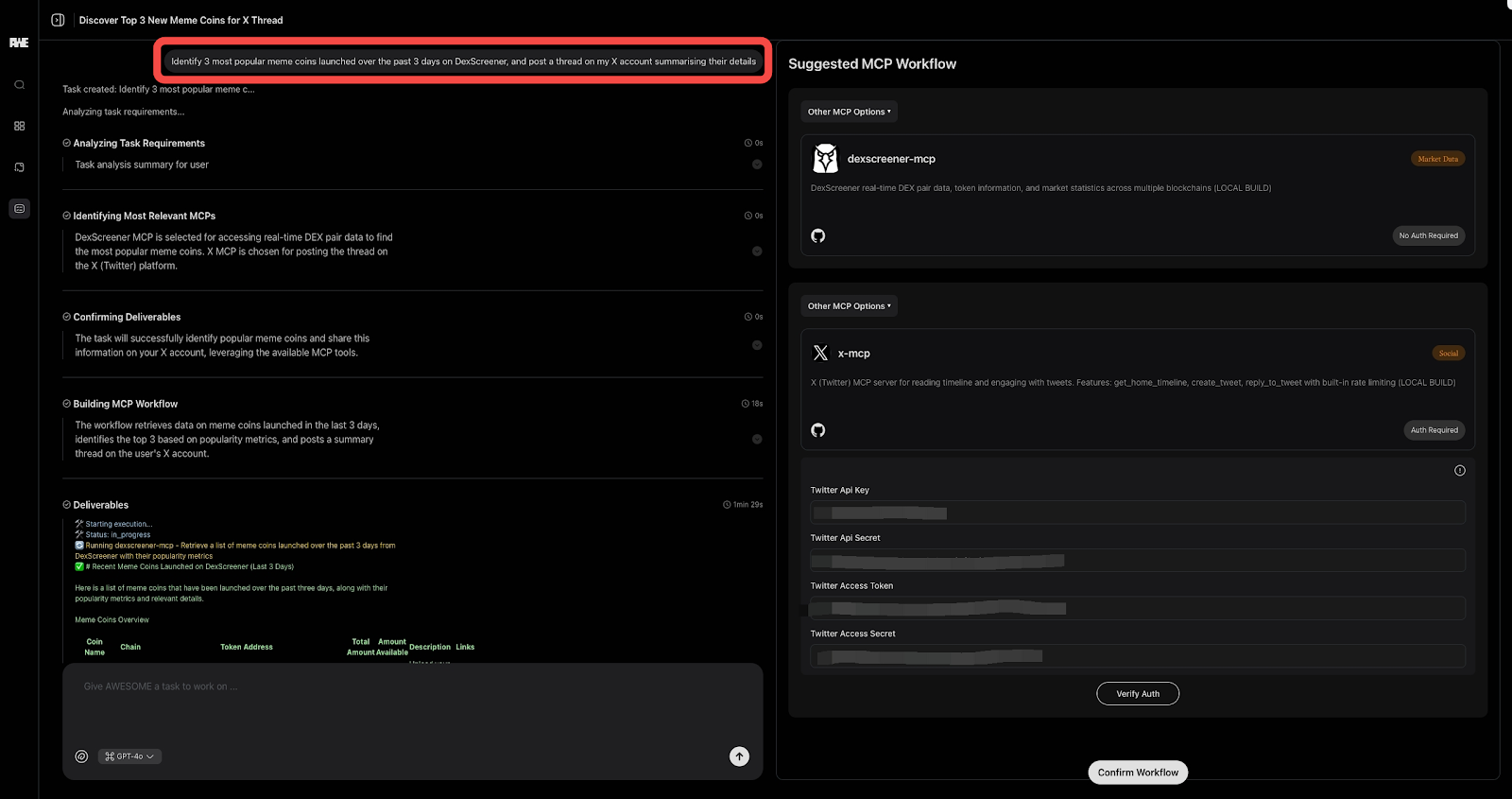
**Step 1: Describe Your Task**
“Identify the 3 most popular meme coins launched in the past 3 days on DexScreener, and post a thread on my X account summarising their details.”
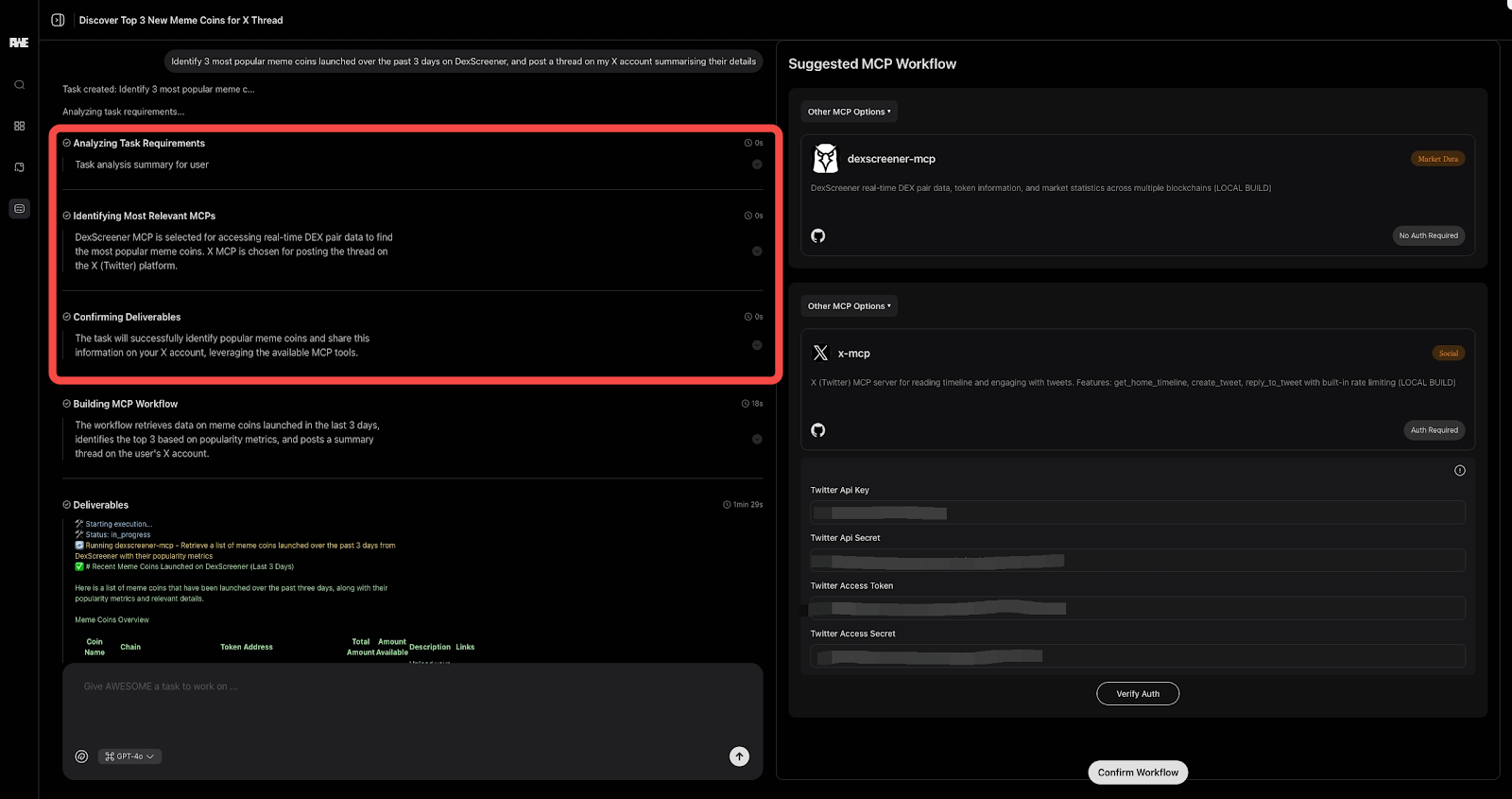
**Step 2-3: Task Analysis & MCP Selection**
AWESOME has selected two MCPs (**DexScreener** and **X**) to accomplish your task.
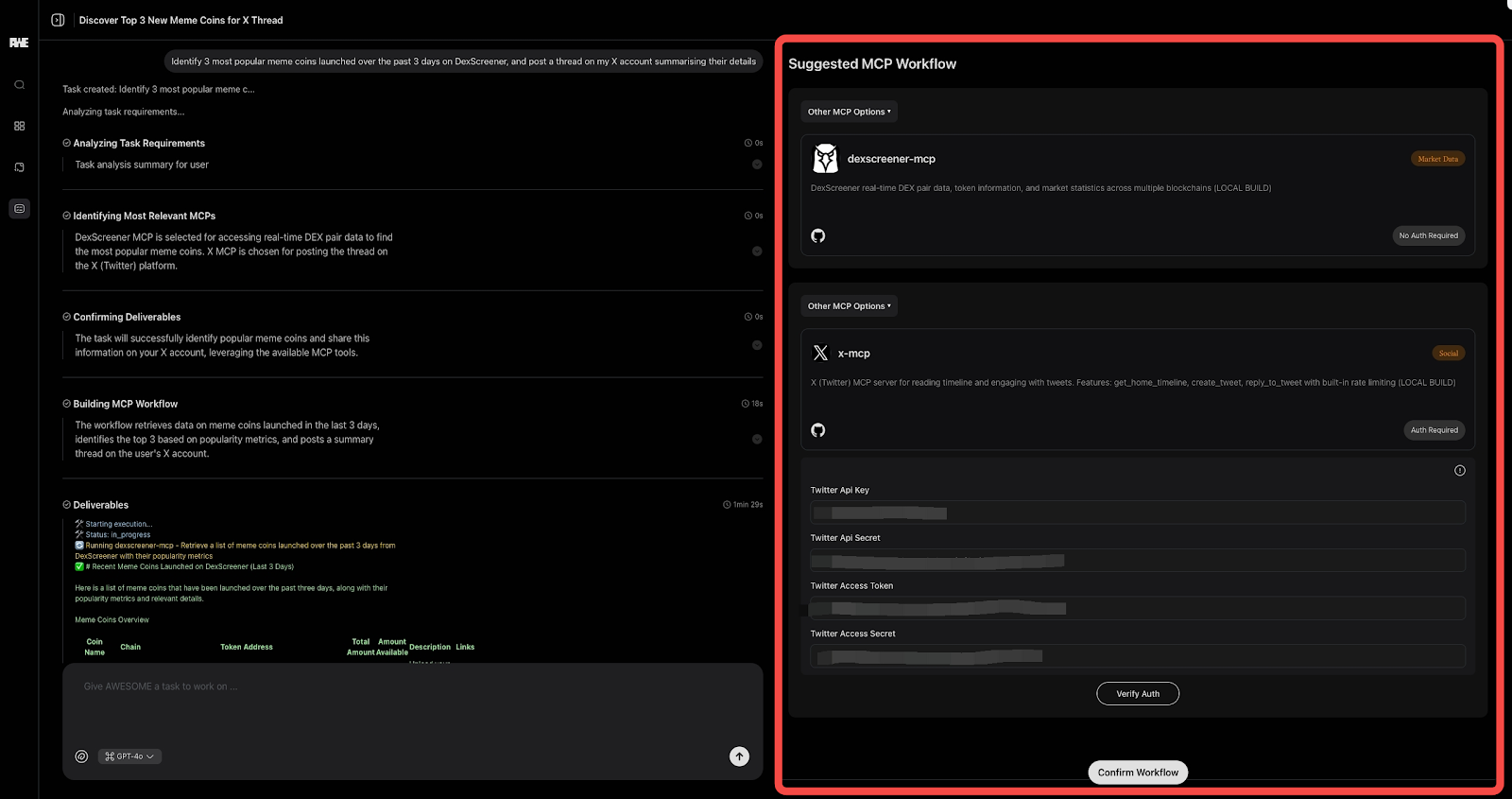
**Step 4: Workflow Suggestion**
AWESOME suggests researching memecoin data on DexScreener first, followed by a summarized post on X.\
\&#xNAN;*Note, X MCP requires authentication, so the user is asked to fill in Twitter API keys and other credentials.*
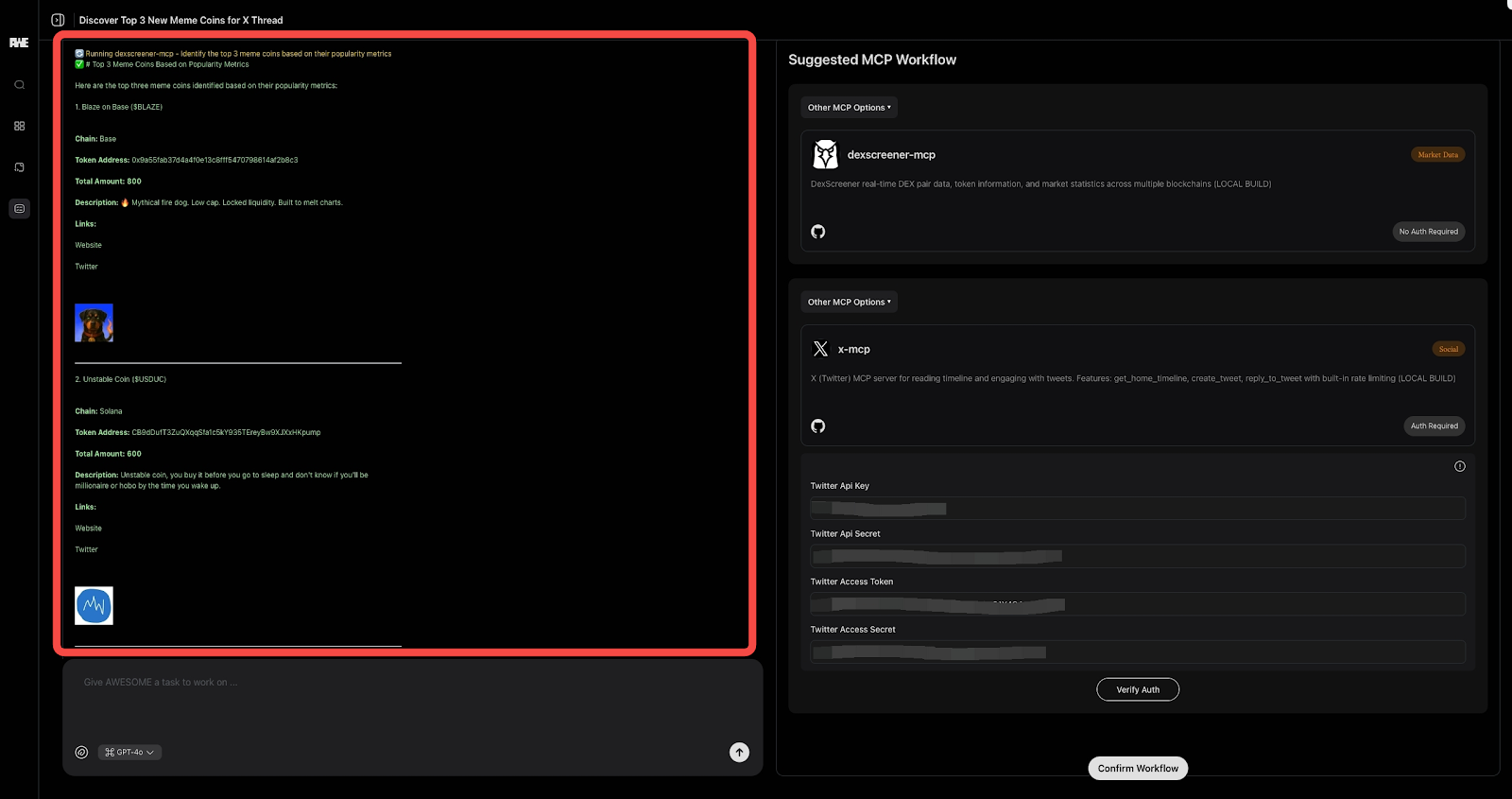
**Step 5: Execution & Output**
AWESOME builds and executes the workflow, and delivers the tweet on the user's X.
**Case 2: GitHub Issue Research + Documentation**
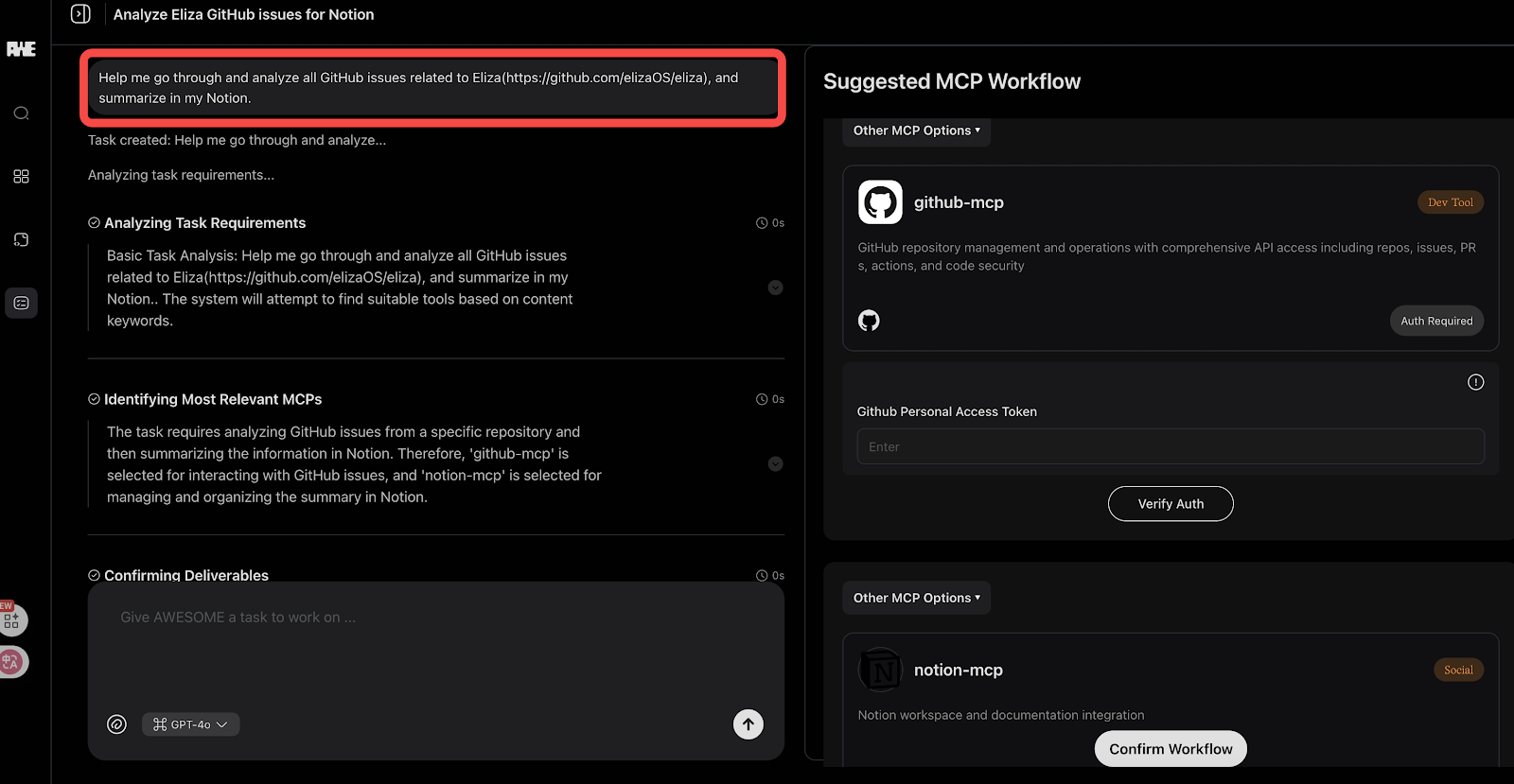
**Step 1: Describe Your Task**
“Help me go through and analyze all GitHub issues related to ElizaOS (), and summarize in my Notion.”
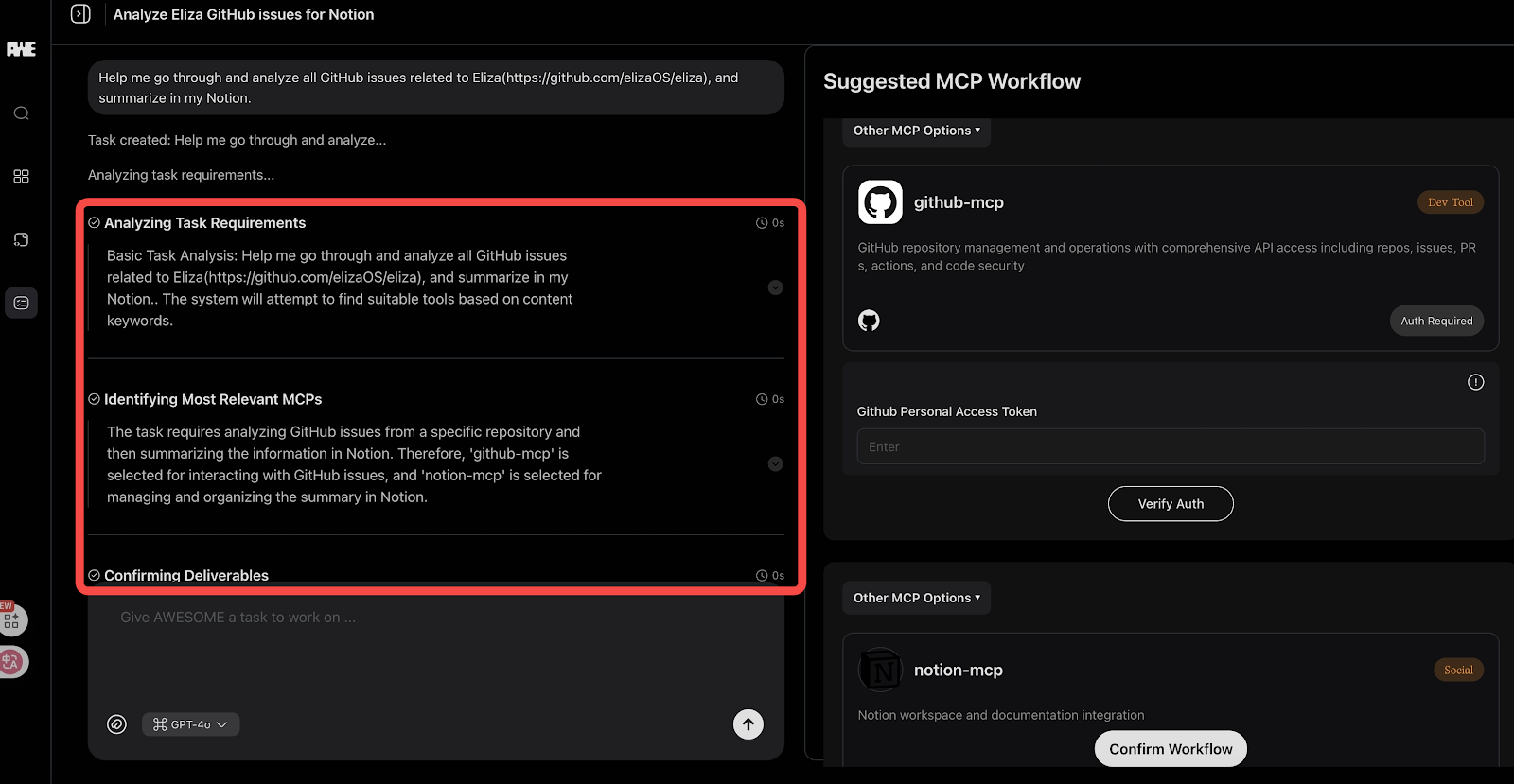
**Step 2-3: Task Analysis & MCP Selection**
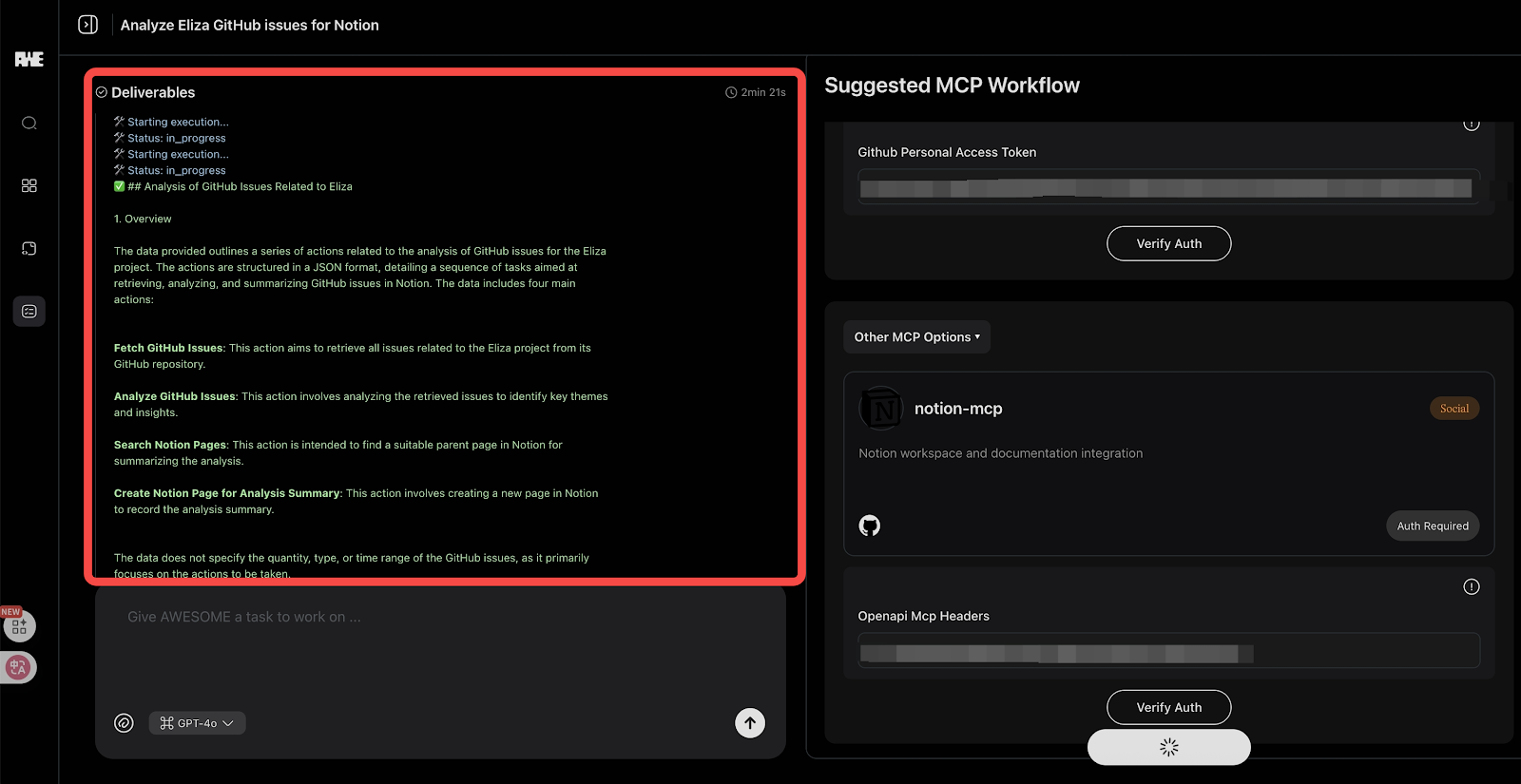
AWESOME has selected two MCPs (**GitHub** and **Notion**) to accomplish your task.
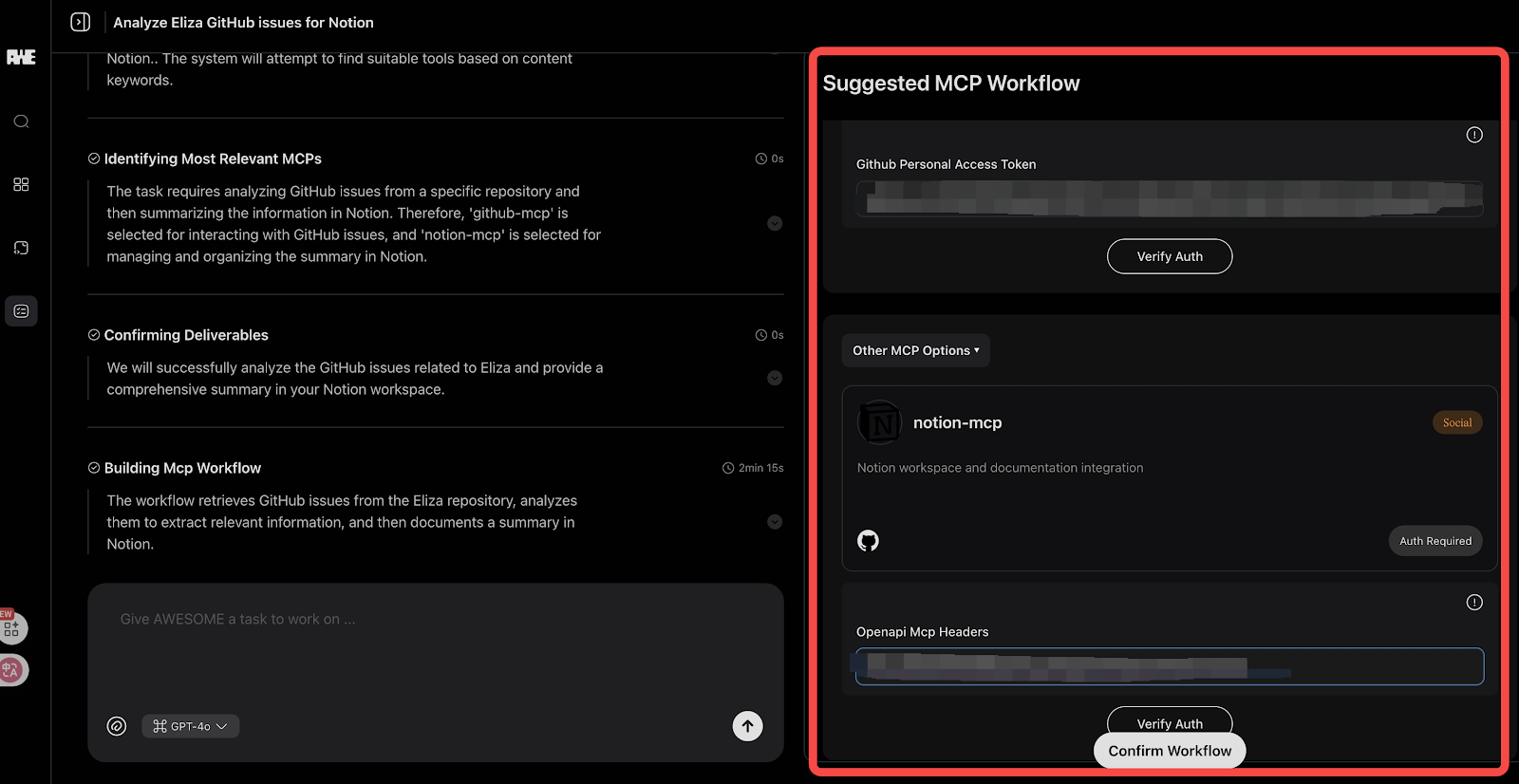
**Step 4: Workflow Suggestion**
AWESOME suggests researching issues on GitHub first, followed by documentation on Notion.\
\&#xNAN;*Note, both GitHub and Notion MCPs require authentication, so the user is asked to fill in relevant credentials.*
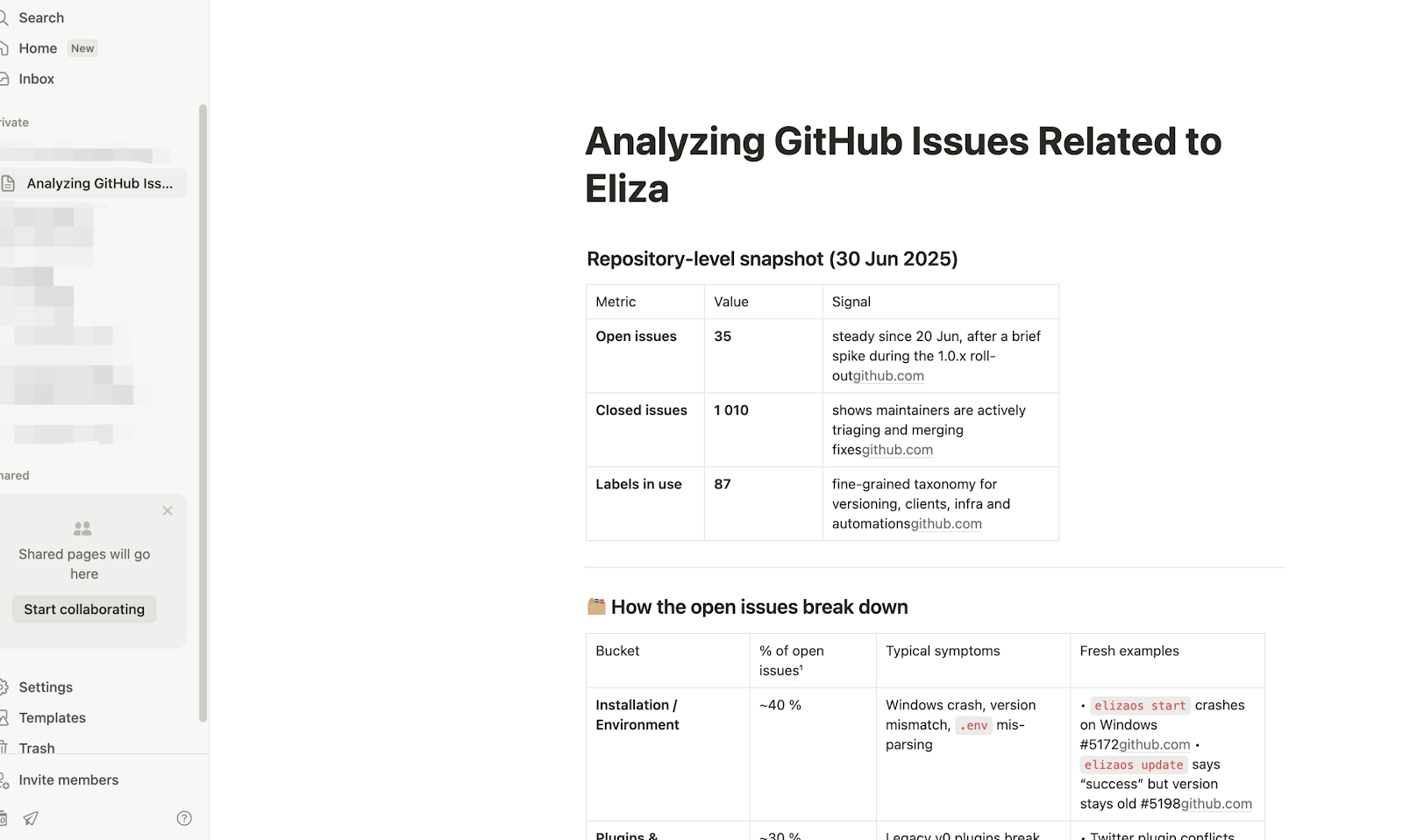
**Step 5: Execution & Output**
AWESOME builds and executes the workflow, and delivers the documentation on the user's Notion.
AWESOME is your first look at what it means to turn natural language into autonomous action — across dozens of protocols and agents.
Ready to build? Start your first Task now on
---
# Agent Instructions
This documentation is published with GitBook. GitBook is the documentation platform designed so that both humans and AI agents can read, navigate, and reason over technical content effectively. Learn more at gitbook.com.
## Querying This Documentation
If you need additional information that is not directly available in this page, you can query the documentation dynamically by asking a question.
Perform an HTTP GET request on the current page URL with the `ask` query parameter, and the optional `goal` query parameter:
```
GET https://docs.awenetwork.ai/awe-ecosystem/awe-service-via-open-mcp-ecosystem-awesome/mcp-workflow-builder.md?ask=&goal=
```
`ask` is the immediate question: it should be specific, self-contained, and written in natural language.
`goal` is optional and describes the broader end goal you are ultimately trying to accomplish on behalf of the user. GitBook uses it to tailor the answer towards what is most useful for that goal.
The response will contain a direct answer to the question and relevant excerpts and sources from the documentation.
Use this mechanism when the answer is not explicitly present in the current page, you need clarification or additional context, or you want to retrieve related documentation sections.